

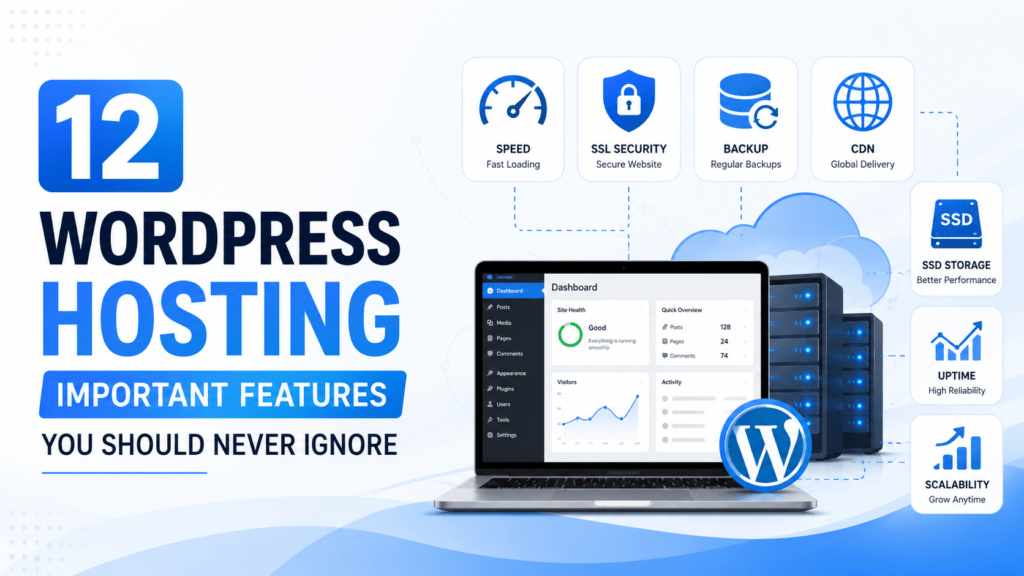
WordPress Hosting Important Features
Choosing the right WordPress hosting is about more than finding the cheapest plan. Your hosting provider affects your website’s speed, security, reliability, and ability to grow with your business. Whether you’re starting a blog, portfolio, or eCommerce store, understanding the key hosting features will help you make a smart investment. For additional guidance, you can also review the official WordPress hosting recommendations.
1. Speed and Performance
Website speed directly impacts user experience and search engine rankings. Look for hosting providers that use optimized servers, server-side caching, the latest PHP versions, and technologies like LiteSpeed or NGINX. Faster websites keep visitors engaged and improve conversions.
2. Security
A secure hosting environment protects your website from cyber threats. Essential security features include firewalls, malware scanning, DDoS protection, brute-force prevention, secure SFTP access, and two-factor authentication. Regular security monitoring helps detect and prevent attacks before they cause damage.
3. SSD or NVMe Storage
Modern hosting providers use SSD or NVMe storage instead of traditional hard drives. These technologies provide faster data access, improving page load times and database performance. If your website includes many images, videos, or products, SSD or NVMe storage is essential.
4. Daily Automatic Backups
Unexpected issues can happen at any time. Daily backups allow you to restore your website quickly after accidental changes, malware infections, or software conflicts. Choose a host that offers automatic backups, one-click restoration, and multiple restore points.
5. Content Delivery Network (CDN)
A CDN stores copies of your website on servers around the world, delivering content from the location closest to each visitor. This reduces loading times, improves global performance, lowers server load, and provides a better experience for international users.
6. Automatic Updates
Keeping WordPress updated is critical for security and compatibility. A reliable hosting provider should automatically update the WordPress core, server software, and PHP versions. Some also offer automatic plugin and theme updates with backup options before installation.
7. Free SSL Certificates
An SSL certificate encrypts data exchanged between your website and visitors. It also displays the HTTPS padlock in browsers, building trust and supporting better SEO. Most reputable hosting providers include free SSL certificates that renew automatically.
8. Staging Environment
A staging site is a private copy of your website where you can safely test updates, plugins, themes, or design changes before publishing them. This feature reduces the risk of breaking your live website during development.
9. Reliable Customer Support
Even experienced website owners occasionally need help. Look for hosting providers offering 24/7 support through live chat, email, or phone. Fast, knowledgeable support can resolve technical issues quickly and minimize downtime.
10. Uptime Guarantee
Frequent downtime can hurt your reputation and search rankings. Choose a hosting provider with an uptime guarantee of at least 99.9% and a proven track record of reliable performance. Consistent uptime ensures your website remains accessible to visitors.
11. Scalability
As your website grows, your hosting should grow with it. Scalable hosting allows you to upgrade resources such as CPU, RAM, storage, and bandwidth without migrating to another provider. This flexibility is especially important for growing businesses and high-traffic websites.
12. Transparent Pricing
Price matters, but value matters more. Compare renewal rates, included features, storage limits, bandwidth, email accounts, and backup services before making a decision. A slightly higher-priced plan may save money by including tools that would otherwise require paid add-ons.
Comparison Checklist
| Feature | Why It Matters |
|---|---|
| Speed | Improves user experience and SEO |
| Security | Protects against cyber threats |
| SSD/NVMe Storage | Faster website performance |
| Daily Backups | Quick recovery from issues |
| CDN | Faster global loading times |
| Automatic Updates | Improved security and stability |
| Free SSL | Secure connections and visitor trust |
| Staging | Safe testing environment |
| Customer Support | Faster issue resolution |
| Uptime | Maximum website availability |
| Scalability | Supports future growth |
| Pricing | Better long-term value |
Frequently Asked Questions
What is the most important WordPress hosting feature?
Website speed, security, and uptime are the three most important features because they directly affect user experience and search engine rankings.
Is free SSL necessary?
Yes. HTTPS protects visitor data, improves trust, and is a confirmed ranking factor for search engines.
Do I need daily backups?
Absolutely. Daily backups help you recover your website quickly after accidental changes or security incidents.
Why is scalability important?
Scalable hosting lets your website handle increasing traffic without performance issues or complex migrations.
Conclusion
The best WordPress hosting provider offers more than affordable pricing. Features like fast performance, strong security, SSD storage, daily backups, CDN integration, automatic updates, free SSL, staging environments, reliable support, high uptime, scalability, and transparent pricing all contribute to a successful website. By evaluating these features before choosing a hosting plan, you’ll build a stronger foundation for your website’s performance, security, and future growth.
Explore : How to Migrate a WordPress Site to a New Host (Step-by-Step Guide).