

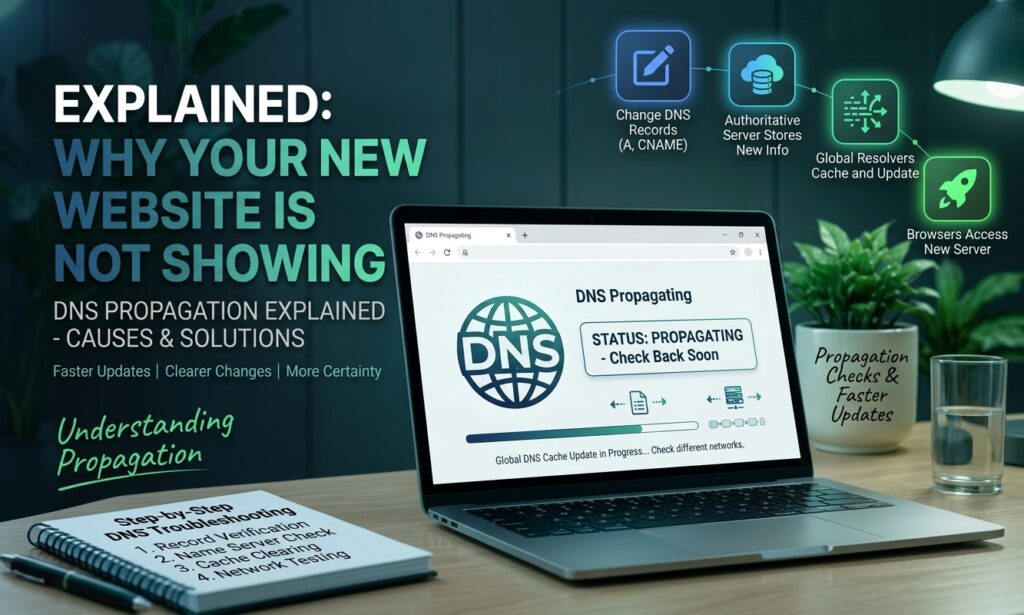
You connected your domain to a new hosting server, updated your DNS records, or launched a new website, but the site still does not appear when you visit the domain. In many cases, this is caused by DNS propagation.
DNS propagation is the process through which DNS changes become available across DNS servers and networks around the internet. Because different DNS resolvers may temporarily store old DNS information, some visitors may see your new website while others still see the previous site, an error page, or nothing at all.
Understanding DNS propagation can help you determine whether you simply need to wait or whether there is an actual DNS configuration problem.
What Is DNS Propagation?
DNS propagation is the period required for changes to DNS records to become available through DNS resolvers around the world.
The Domain Name System (DNS) connects a human-readable domain name, such as example.com, to information needed to reach the correct server. For example, an A record can point a domain to an IPv4 address, while a CNAME record can point one hostname to another.
When you change a DNS record, the new information does not necessarily appear everywhere immediately. DNS resolvers may have cached the previous record and continue using it until the cache expires.
This is why DNS changes can appear successful from one internet connection but still show the old result from another.
How DNS Propagation Works
When someone enters your domain into a browser, their device usually relies on a DNS resolver to find the correct server information.
The general process looks like this:
- You change a DNS record at your domain’s DNS provider.
- The authoritative DNS server stores the new record.
- DNS resolvers request and cache that information.
- Other users continue receiving cached information until its TTL expires.
- Resolvers gradually obtain the updated DNS record.
- More visitors begin reaching the new server.
The process is not exactly the same as sending an update to every computer on the internet. Instead, DNS caching means different resolvers can have different versions of the information temporarily.
How Long Does DNS Propagation Take?
DNS propagation can take anywhere from a few minutes to several hours, and in some situations it can take longer.
The exact time depends on factors such as the DNS record’s TTL (Time to Live), DNS caching, the type of change you made, and how individual DNS resolvers handle cached information.
For example, if a DNS record previously had a long TTL, some resolvers may continue using the old information until that cached period expires.
A practical approach is to allow several hours for normal DNS changes and monitor the records during that period. If the expected update still has not appeared after a reasonable amount of time, investigate the configuration instead of assuming it is simply propagation.
Why Your New Website Is Not Showing Yet
Several situations can make a newly launched website appear unavailable.
1. Your DNS Records Still Point to the Old Server
If your domain’s A record still points to your previous hosting provider, visitors may continue reaching the old website.
Check that the relevant DNS record contains the correct destination provided by your new hosting company.
2. Nameservers Were Not Updated Correctly
If you moved DNS management to a new provider, you may need to change the domain’s nameservers.
An incorrect nameserver configuration can prevent the domain from using the DNS zone where your new records were created.
3. DNS Cache Is Showing Older Information
Your computer, router, browser, or DNS resolver may temporarily have cached information.
As a result, another person may see your new website while your own connection still reaches the old server.
4. The DNS Record Was Entered Incorrectly
A small configuration mistake can prevent the domain from reaching the correct server.
Common problems include an incorrect IP address, incorrect CNAME destination, missing record, or conflicting DNS records.
5. The Website or Hosting Account Is Not Ready
DNS can be configured correctly while the website itself is still unavailable.
Your hosting account may have an incorrect domain assignment, the web server may not be configured for the domain, or the website files may not have been uploaded correctly.
6. SSL Has Not Been Configured Yet
After connecting a domain to new hosting, HTTPS may require additional setup.
If DNS is already pointing correctly but your browser displays an SSL warning, the problem may be related to the certificate rather than DNS propagation.
How to Check DNS Propagation
You can check whether your DNS records are returning the expected information by using a DNS lookup tool.
For example, Google’s Dig tool can be used to inspect DNS records for a domain.
Check the record you recently changed, such as:
- A record — checks where a domain points using an IPv4 address.
- AAAA record — checks an IPv6 address.
- CNAME record — checks an alias to another hostname.
- MX record — checks where email for the domain is delivered.
- NS record — checks the domain’s authoritative nameservers.
If different DNS resolvers return different results, the change may still be propagating or being affected by caching.
What to Do While Waiting for DNS Changes
You do not always need to make additional changes while DNS propagation is occurring.
Instead, confirm that the new DNS records are correct and monitor the results.
You can also try:
- Checking the website from a different network.
- Testing the domain using mobile data.
- Restarting your local router if appropriate.
- Clearing your local DNS cache.
- Checking the DNS records with an external lookup tool.
- Confirming the nameservers at your domain registrar.
- Verifying that your hosting provider has correctly configured the domain.
Avoid repeatedly changing DNS records without knowing what is wrong. Frequent changes can make troubleshooting more difficult and may introduce additional configuration problems.
When DNS Propagation Is Taking Too Long
If your website is still not working after the expected propagation period, do not automatically assume the issue is DNS propagation.
Start by checking the domain’s nameservers and DNS records. Make sure the records are configured at the DNS provider that is actually authoritative for the domain.
Then confirm that the destination server is working and that your hosting account recognizes the domain.
You should also check for:
- Incorrect A or CNAME records
- Wrong nameservers
- DNSSEC configuration problems
- Conflicting DNS records
- Expired or incorrectly configured domains
- Hosting server configuration issues
- Firewall or security restrictions
- SSL certificate problems
If the DNS records are correct but the website remains unavailable, the problem may be on the hosting or website side.
DNS Propagation vs. DNS Resolution
DNS propagation and DNS resolution are related but different concepts.
DNS propagation refers to the period during which DNS changes become reflected across DNS resolvers and their caches.
DNS resolution is the process of converting a domain name into the DNS information needed to connect to the appropriate service or server.
For example, if you change an A record, propagation describes how the new information becomes available through different resolvers, while resolution is the process a user’s device and DNS resolver perform when looking up the domain.
Understanding this difference makes DNS troubleshooting easier.
Frequently Asked Questions About DNS Propagation
Can DNS propagation happen immediately?
Yes. Some DNS changes may appear within minutes, especially when caches have expired. However, other networks may continue showing older information for longer.
Why does my website work on mobile but not Wi-Fi?
Your mobile network and Wi-Fi connection may use different DNS resolvers. One resolver may already have the updated DNS information while another still has the previous record cached.
Should I keep changing my DNS records?
No. If the records are already correct, repeatedly changing them will not make propagation faster. First verify the configuration and then allow the appropriate time for caches to update.
Is DNS propagation the same as website hosting?
No. DNS determines where a domain should connect, while web hosting provides the server and resources that deliver the website. A domain can have correct DNS records while the website itself still has a hosting configuration problem.
Conclusion
DNS propagation is a normal part of changing domain and DNS settings. Your new website may not appear immediately because DNS resolvers can temporarily cache previous information.
Before making more changes, verify your nameservers and DNS records, confirm that your hosting server is configured correctly, and check the domain from different networks. If the records are correct but the website remains unavailable for an unusually long period, investigate the DNS, hosting, SSL, and server configuration rather than simply waiting for propagation.