

WordPress AI SEO helps website owners improve how search engines and AI-powered search platforms discover, understand, and reference their content. As people increasingly use AI tools to find answers, publishing useful information alone may not be enough. Your website also needs a clear content structure, accessible pages, relevant internal links, and reliable information that search systems can interpret.
Whether you manage a business website, blog, or online store, improving content discoverability can help search engines understand what your pages offer. Although no optimization technique guarantees that an AI platform will cite your website, following established SEO practices can create a stronger foundation for visibility in traditional and AI-powered search experiences.
What Is WordPress AI SEO?
WordPress AI SEO refers to optimizing a WordPress website so search engines and AI-powered discovery systems can access, understand, and potentially reference its content. It combines traditional search engine optimization with content organization, technical accessibility, and clear explanations that help systems identify relevant information.
Traditional SEO focuses on improving a website’s visibility in search results through useful content, technical performance, and relevant links. AI search optimization also considers how content can answer questions clearly and provide sufficient context for systems that generate responses from multiple sources.
For example, a WordPress article explaining how to configure an XML sitemap should describe its purpose, explain the setup process, and identify common problems. Clear instructions make the information more useful to readers and easier for automated systems to interpret.
How AI Search Engines Discover WordPress Content
Before an AI-powered search system can reference a page, it needs a way to discover or access relevant information. Different platforms use different crawling, indexing, retrieval, and content-processing methods. Therefore, website owners should not assume that every AI platform discovers content in exactly the same way.
Start by checking whether important WordPress pages are accessible to search engine crawlers. Review your robots.txt file, page-level robots directives, canonical tags, and XML sitemap. Make sure valuable articles and service pages are not accidentally blocked or marked with a noindex directive.
Google Search Console can help you inspect indexing status and identify issues that prevent important URLs from appearing in Google Search. You should also verify that internal links point to the correct canonical URLs and that essential content remains accessible when the page is rendered.
Remember that crawlability, indexing, and AI citation are different outcomes. A page may be accessible without being indexed, and an indexed page is not guaranteed to appear in an AI-generated answer.
How to Structure WordPress Content for AI Search
A clear content structure helps readers find answers quickly and gives search systems useful context about each section. Organize every article around one primary topic and use descriptive headings to explain the information that follows.
Use Clear Headings and Direct Answers
Write an informative H1 heading that accurately describes the page. Organize the remaining content with logical H2 and H3 headings rather than choosing heading levels solely for visual appearance.
Answer the main question near the beginning of the article. For example, if a section explains WordPress AI SEO, begin with a concise definition before discussing implementation details. Then expand the answer with practical steps, examples, and relevant limitations.
Avoid vague headings such as “More Information” or “Things to Know.” Specific headings such as “Improve Internal Linking in WordPress” communicate the section’s purpose more clearly.
Write Self-Contained, Useful Sections
Each major section should provide enough context to be useful on its own. Avoid relying on phrases such as “as mentioned above” when a short explanation would make the meaning clearer.
Use numbered instructions for processes, bullet points for related considerations, and tables when readers need to compare options. Define technical terms when they first appear and explain why each recommendation matters.
This approach improves readability without requiring unnatural keyword repetition. Include your focus keyword, WordPress AI SEO, in appropriate places, such as the introduction and a relevant heading where it fits naturally.
Keep Information Accurate and Current
Review articles regularly to identify outdated instructions, discontinued plugin features, broken links, and incorrect technical recommendations. Update the publication or modification date only when the page has genuinely been reviewed or changed.
Where appropriate, support factual claims with reliable sources, original examples, documented procedures, and links to official technical guidance. Avoid unsupported claims that a specific plugin, schema type, or AI text file guarantees inclusion in AI-generated responses.
Improve Technical SEO for AI Crawlers
Technical SEO helps search engines access and process your WordPress website. Begin by ensuring that important pages return successful HTTP responses and that internal links do not lead to broken or redirected URLs unnecessarily.
Check the following areas:
- Robots.txt: Confirm that important content is not unintentionally blocked from crawling.
- Indexing directives: Check that valuable pages do not contain an unintended noindex instruction.
- XML sitemap: Include appropriate canonical URLs for indexable content and submit the sitemap through Google Search Console.
- Canonical tags: Use consistent canonical URLs to help search engines identify the preferred version of a page.
- Mobile usability: Make sure content, navigation, and important links work properly on mobile devices.
- Page performance: Optimize images, reduce unnecessary scripts, and address significant Core Web Vitals problems.
- Rendered content: Ensure essential information is available to search systems and does not depend entirely on inaccessible interactions.
A WordPress SEO plugin can help manage titles, meta descriptions, canonical tags, XML sitemaps, and selected structured data. However, plugin settings should be checked rather than assumed to be correct automatically.
Use Internal Links and Structured Data Effectively
Internal linking connects related pages and helps users and search engines understand how information is organized across your website. Link from relevant articles to supporting guides, category pages, and service pages using descriptive anchor text.
For example, an article about WordPress AI SEO might link to a technical SEO guide when discussing crawlability or to a WordPress development service when explaining website structure. The linked page should genuinely support the surrounding discussion.
Avoid adding links simply to increase their number. Prioritize useful connections, remove broken internal links, and ensure important pages can be reached through normal website navigation.
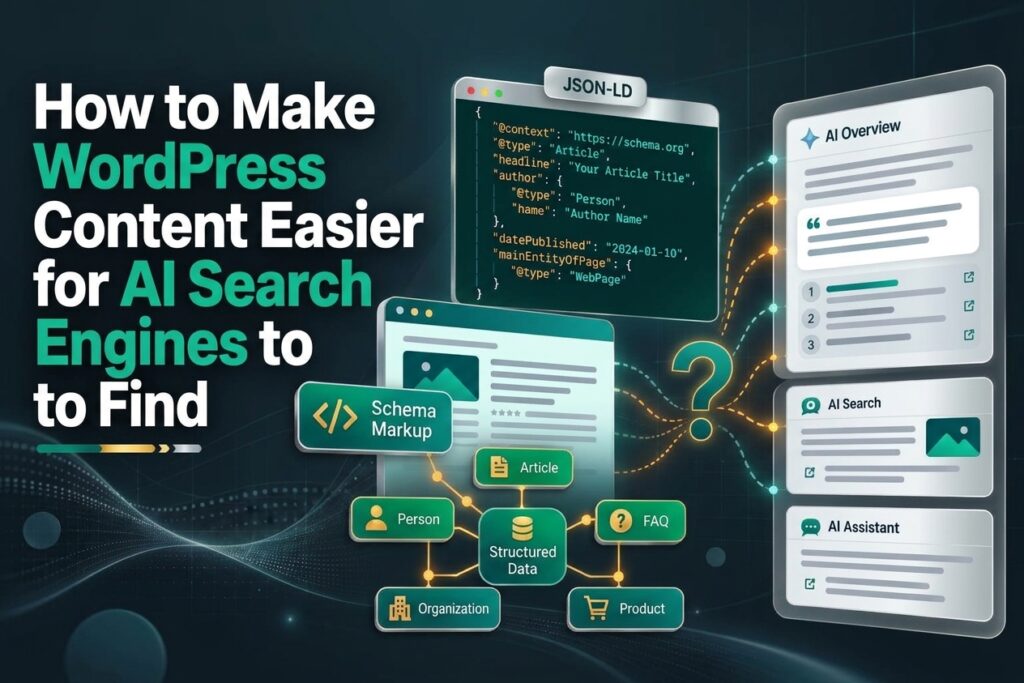
Structured data provides explicit information about a page’s content. Depending on the page, appropriate schema may include Article, BreadcrumbList, Product, or Organization. Implement only types that accurately represent visible content and follow the relevant search engine guidelines.
Validate the output using Google’s Rich Results Test or Schema.org Validator. Check your existing WordPress SEO plugin before adding custom schema so that the same entities and properties are not unnecessarily duplicated.
Structured data can help search engines interpret content, but it does not guarantee higher rankings or AI citations. Likewise, an llms.txt file should not be treated as a substitute for crawlability, indexing, or useful content.
Build Credibility With Helpful Content
AI search visibility depends partly on whether a platform considers information relevant and useful for a particular question. You cannot control those selection systems, but you can improve the quality of your source material.
Publish original explanations, practical examples, and detailed answers based on reliable information. Where appropriate, identify the author, provide a relevant biography, and explain the experience or expertise supporting the content. Keep author information accurate and consistent across the website.
If your article covers a technical subject, include clear steps and explain common mistakes. If it presents statistics or research findings, cite the original sources and provide enough context to interpret them correctly.
Avoid publishing multiple pages that repeat essentially the same information with minor keyword changes. A smaller collection of comprehensive, genuinely useful resources can provide a clearer website structure than many thin or repetitive articles.
Measure Your WordPress AI SEO Performance
Measuring results helps you determine whether your optimization work is improving website discoverability. Start with Google Search Console to monitor indexing, impressions, clicks, search queries, and page-level performance. Use analytics tools to review organic traffic, engagement, and conversions.
You can also monitor referral traffic from AI-powered platforms when analytics data identifies those visits. Keep in mind that not every AI-generated mention produces a clickable visit, and not every platform exposes complete referral information.
Maintain a record of important pages, their target topics, indexing status, internal links, and recent updates. Review this information periodically to identify pages that need stronger explanations, better navigation, or technical corrections.
Conclusion
Making WordPress content easier for AI search engines to find begins with strong SEO fundamentals. Ensure that important pages are accessible, organize information with descriptive headings, answer questions clearly, maintain useful internal links, and provide accurate, trustworthy content.
WordPress AI SEO is not a single plugin or technical shortcut. It is an ongoing process of improving content quality, website accessibility, and information structure. By combining these practices with regular performance monitoring, you can build a more discoverable WordPress website while creating a better experience for readers across traditional and AI-powered search environments.