

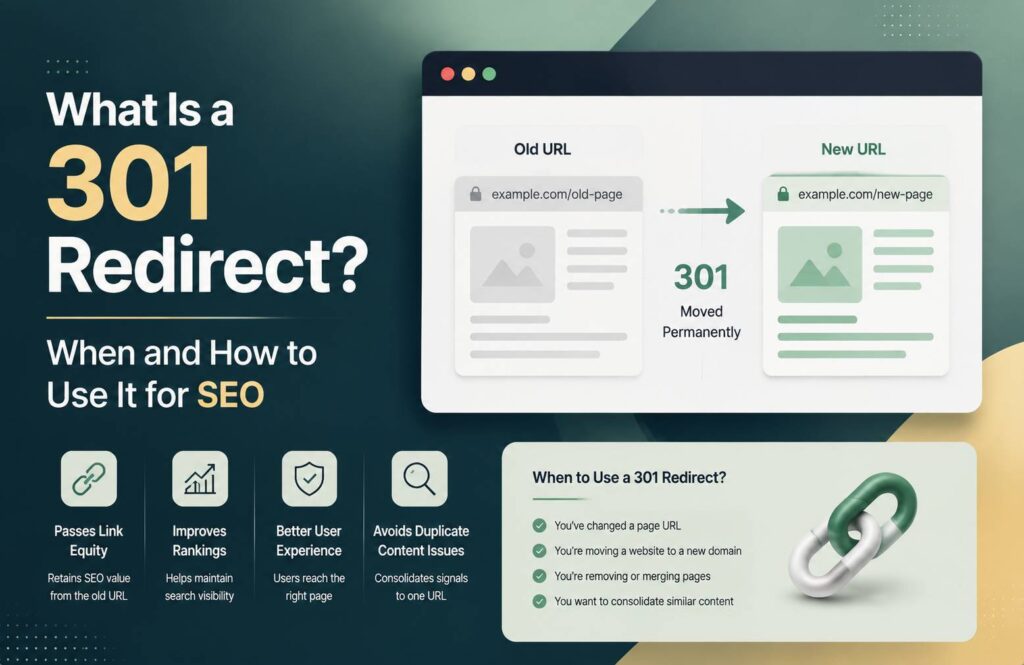
A 301 redirect is one of the most useful tools for website owners and SEO professionals. It permanently sends visitors and search engines from one URL to another. If you change a page URL, move your website to a new domain, or remove an outdated page, a 301 redirect can help users reach the correct destination while preserving much of the original page’s SEO value.
Understanding how 301 redirects work can help prevent broken links, poor user experiences, and unnecessary ranking losses.
What Is a 301 Redirect?
A 301 redirect is a permanent server-side redirect that tells browsers and search engines that a webpage has permanently moved to a different URL.
For example, suppose your old URL is:
example.com/old-page/
You move the content to:
example.com/new-page/
A 301 redirect can automatically send visitors from the old URL to the new one.
The redirect happens before the old page loads, so visitors generally don’t need to manually search for the new location.
Why Are 301 Redirects Important for SEO?
Changing URLs without redirects can create problems for both users and search engines. Someone who clicks an old link may see a 404 error instead of the intended content.
A properly implemented 301 redirect helps search engines understand the relationship between the old and new URLs. It can also help transfer signals associated with the old URL to the new destination.
However, a redirect does not guarantee that the new page will maintain exactly the same rankings. The destination should provide substantially similar or appropriate content, and the overall website should remain technically sound.
When Should You Use a 301 Redirect?
There are several common situations where a 301 redirect makes sense.
1. Changing a Page URL
If you change a URL to make it shorter, clearer, or more SEO-friendly, redirect the old URL to the new one.
For example:
example.com/blog/seo-tips-2024/
could become:
example.com/seo-tips/
A 301 redirect ensures users who have bookmarked the old URL can still reach the content.
2. Moving to a New Domain
If you move your website from one domain to another, 301 redirects can help guide visitors and search engines from the old domain to corresponding pages on the new domain.
For example:
oldsite.com/about-us/
could redirect to:
newsite.com/about-us/
For a complete domain migration, redirecting relevant old URLs to their matching new URLs is generally better than sending every page to the homepage.
3. Removing Duplicate URLs
Sometimes the same or very similar content can be accessible through multiple URLs. Where appropriate, you can consolidate duplicate or obsolete URLs with redirects.
This can simplify your website structure and help search engines understand which URL should be used.
4. Deleting Outdated Content
Suppose you have an old article that is no longer useful, but another relevant article covers the same topic. Instead of leaving the old URL as a dead end, you may redirect it to the more useful replacement when there is a genuine topical match.
Don’t redirect unrelated pages simply to avoid 404 errors.
5. Switching From HTTP to HTTPS
When moving a website from HTTP to HTTPS, redirects are normally used to send users from the old HTTP URLs to their secure HTTPS versions.
For example:
http://example.com/page/
can redirect to:
https://example.com/page/
This helps users consistently reach the secure version of your website.
301 Redirect vs. 302 Redirect
One common SEO question is the difference between a 301 and a 302 redirect.
A 301 redirect indicates that a URL has permanently moved.
A 302 redirect is generally used when a URL is temporarily redirected.
Therefore, don’t automatically use a 301 redirect whenever you need a redirect. Choose the redirect type based on whether the move is permanent or temporary.
How to Create a 301 Redirect
The method depends on your website platform and server.
For a WordPress website, you can manage redirects through SEO or redirect-management plugins. Many hosting platforms also provide redirect tools through their control panels.
On Apache servers, redirects can also be configured through the .htaccess file.
For example, a basic Apache redirect can look like this:
Redirect 301 /old-page/ https://example.com/new-page/
Always test a redirect after implementation. A small configuration mistake can cause redirect loops or make important pages inaccessible.
Common 301 Redirect Mistakes
One of the biggest mistakes is creating redirect chains.
For example:
Old URL → URL 2 → URL 3 → Final URL
Whenever possible, redirect the original URL directly to the final destination:
Old URL → Final URL
Another mistake is redirecting many unrelated pages to the homepage. This can create a poor user experience and may not provide meaningful SEO value.
You should also avoid redirect loops, where URL A redirects to URL B and URL B redirects back to URL A.
Finally, don’t forget to update internal links. If your website still links to an old URL, update those links to point directly to the current URL.
How to Check Your 301 Redirects
After creating a redirect, test the old URL in a browser and confirm that it reaches the correct destination.
You can also use SEO and technical auditing tools to identify:
- Redirect chains
- Redirect loops
- Broken redirects
- Incorrect destination URLs
- Internal links pointing to redirected URLs
- Large numbers of unnecessary redirects
Google Search Console can also help you monitor indexing and identify problems that appear after major URL changes.
Conclusion
A 301 redirect is an essential part of technical SEO when URLs permanently change. It helps visitors find the right content and gives search engines a clear signal about where an old page has moved.
Use 301 redirects when changing URLs, migrating domains, moving from HTTP to HTTPS, consolidating duplicate content, or replacing outdated pages with genuinely relevant alternatives.
The key is to keep your redirects simple: old URL → relevant final URL. Avoid unnecessary chains, loops, and irrelevant homepage redirects. When implemented carefully, redirects can make website migrations and URL changes much smoother while helping protect your existing SEO value.
FAQ
Does a 301 redirect hurt SEO?
A properly implemented 301 redirect does not inherently hurt SEO. It helps search engines understand that a page has permanently moved and can pass relevant signals to the new URL.
How long should a 301 redirect stay active?
For a permanent URL change, keeping the redirect active for the long term is recommended, particularly when the old URL has backlinks, bookmarks, or other external references.
Can I redirect multiple old URLs to one page?
Yes, but only when the destination is genuinely relevant to the old URLs. Redirecting unrelated pages to a single destination can create a poor user experience.
What is the difference between 301 and 302 redirects?
A 301 indicates a permanent move, while a 302 is generally used for a temporary redirect.
Should I redirect a 404 page?
Not every 404 page needs a redirect. If there is a relevant replacement page, a 301 can be appropriate. Otherwise, allowing the page to return a proper 404 or 410 response may be better.