

Introduction
Duplicate content is a common technical SEO issue that can affect how search engines understand and rank your website. When the same or similar content appears on multiple URLs, search engines may become confused about which page should be indexed and shown in search results.
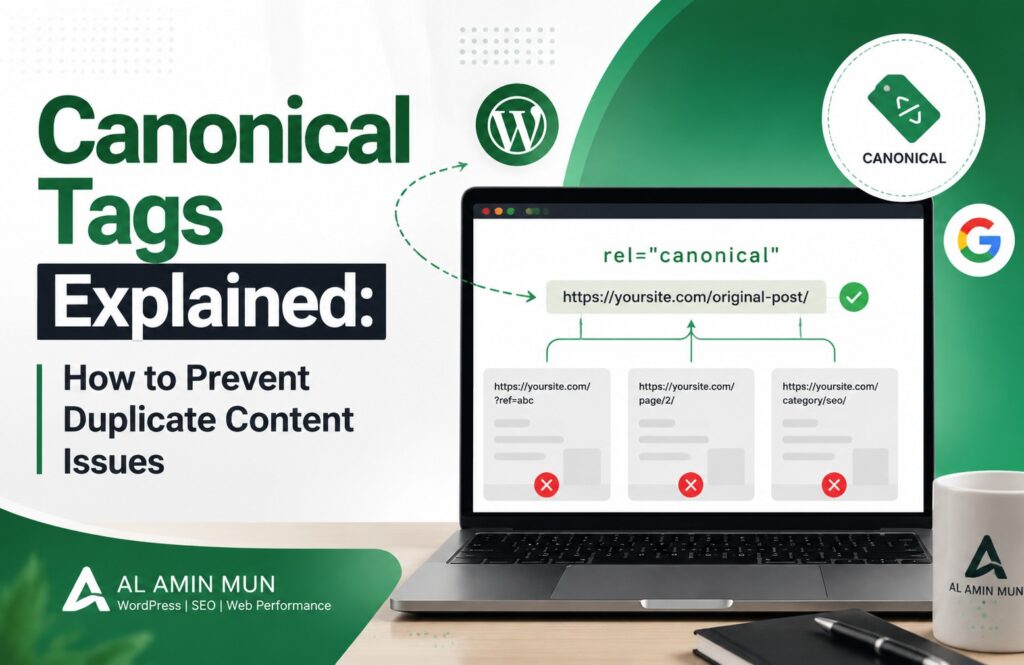
This is where it help. Canonical tags tells search engines which version of a webpage is the preferred or original version. By using it correctly, website owners can prevent duplicate content problems, improve crawl efficiency, and protect their SEO rankings.
In this guide, we will explain what canonical tags are, why they are important, and how to use them properly.
What Are Canonical Tags?
It is an HTML element that helps search engines identify the main version of a webpage when multiple URLs contain similar or identical content.
A canonical tag is added inside the <head> section of a webpage and looks like this:
<link rel=”canonical” href=”https://example.com/page/” />
The rel=”canonical” attribute tells search engines that the specified URL is the preferred version that should receive indexing and ranking signals.
For example, an online store may have different URLs for the same product:
- example.com/shoes
- example.com/shoes?color=black
- example.com/shoes?size=10
Although these pages display similar information, a canonical tag can tell Google which URL should be considered the primary page.
Why Are Canonical Tags Important for SEO?
1. Prevent Duplicate Content Issues
Search engines want to provide users with unique and valuable content. If multiple URLs contain the same information, Google may struggle to decide which page should rank.
It solve this problem by pointing search engines toward the preferred URL. This helps avoid competition between duplicate pages and improves content visibility.
2. Consolidate SEO Signals
When different versions of a page receive backlinks, the ranking value can become divided. It help combine these signals and pass them to the main URL.
This allows your preferred page to benefit from:
- Backlinks
- Page authority
- User engagement signals
3. Improve Website Crawling
Search engines have limited crawling resources. If Google spends too much time analyzing duplicate pages, it may not discover your important content quickly.
It help search engines focus on your most valuable pages and improve crawl efficiency.
Common Duplicate Content Problems
It is useful for solving several common duplicate content situations, including:
URL Parameters
E-commerce websites often create multiple URLs through filters, sorting options, and tracking codes.
Example:
- example.com/products
- example.com/products?category=shoes
A canonical tag can point these variations back to the main product page.
HTTP and HTTPS Versions
Websites may accidentally have different versions:
The secure HTTPS version should usually be the canonical URL.
WWW and Non-WWW Versions
These two URLs are treated as different by search engines:
- www.example.com
- example.com
It help indicate the preferred version.
How to Add Canonical Tags in WordPress
Most modern WordPress SEO plugins automatically add self-referencing canonical tags. However, you can manually customize them when needed.
Popular SEO plugins such as Rank Math and Yoast SEO allow users to set custom canonical URLs.
To add a canonical tag:
- Edit your WordPress post or page
- Open your SEO plugin settings
- Go to advanced settings
- Enter the preferred canonical URL
- Update the page
Common Canonical Tag Mistakes to Avoid
Using the Wrong Canonical URL
Always make sure your canonical URL points to the correct and most valuable version of the page.
Adding Multiple Canonical Tags
A webpage should have only one canonical tag. Multiple canonical URLs can confuse search engines.
Using Canonical Tags Instead of Redirects
It is not a replacement for 301 redirects. If a page has permanently moved, a redirect is usually the better option.
Blocking Canonical Pages
Do not block canonical URLs in robots.txt because search engines need access to understand your preferred page.
How to Check Canonical Tags
You can check :
- Viewing the page source code
- Using Google Search Console URL Inspection
- Running an SEO audit with tools like Ahrefs, SEMrush, or Screaming Frog
Regularly checking ithelps identify technical SEO problems before they affect rankings.
Conclusion
Canonical tags are an important part of technical SEO because they help search engines understand duplicate content and select the correct page version. Proper canonical implementation improves indexing, protects ranking signals, and creates a cleaner website structure.
Whether you manage a blog, business website, or e-commerce store, using canonical tags correctly can help search engines better understand your content and improve your overall SEO performance.
Explore More..