

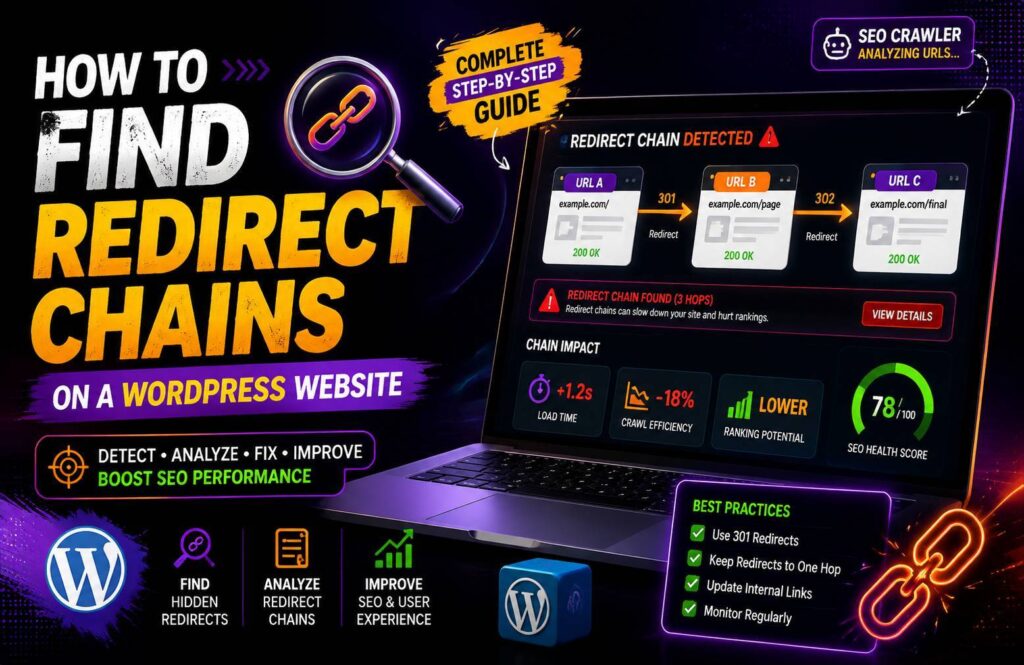
Redirects are useful when you move or delete pages, but too many redirects in a sequence can create unnecessary problems. Learning how to find redirect chains on a WordPress website can help you identify inefficient URL paths, improve crawling, and create a smoother experience for visitors.
A redirect chain occurs when one URL redirects to another URL, which then redirects to another. Instead of reaching the final page directly, browsers and search engine crawlers have to follow multiple steps.
What Is a Redirect Chain?
A redirect chain happens when there are two or more redirects between the original URL and the final destination.
For example:
URL A → URL B → URL C
Here, URL A redirects to URL B, while URL B redirects to URL C.
Ideally, the original URL should point directly to the final destination:
URL A → URL C
This reduces unnecessary steps and makes the URL path cleaner.
Redirect Chain vs Redirect Loop
These terms are sometimes confused.
A redirect chain eventually reaches a destination:
A → B → C
A redirect loop never reaches a final page:
A → B → A
A loop can prevent the page from loading properly, while a chain may still work but contains unnecessary redirects.
Both should be investigated during a technical SEO audit.
Why Are Redirect Chains a Problem?
A single redirect isn’t automatically bad. In fact, properly implemented redirects are an important part of website management.
The problem occurs when several redirects are stacked together.
1. Slower Page Loading
Each redirect can require an additional request before the browser reaches the final page.
This can add unnecessary delay, especially for visitors using slower connections.
2. Less Efficient Crawling
Search engine crawlers have limited resources when accessing websites.
A clean URL structure with fewer unnecessary redirects makes crawling more efficient.
3. Poor User Experience
Visitors expect a URL to take them directly to the requested content.
Long redirect paths can create unnecessary delays before the page loads.
4. More Complicated Website Management
Redirect chains can become difficult to manage as a website grows.
A URL that was redirected several times over the years may eventually create a path like:
Old URL → New URL → Updated URL → Final URL
Cleaning up these paths makes the website easier to maintain.
What Causes Redirect Chains in WordPress?
Redirect chains often develop naturally as websites are redesigned or URLs are changed.
Common causes include:
- Changing a page URL multiple times
- Updating WordPress permalink structures
- Moving HTTP to HTTPS
- Switching between www and non-www
- Changing categories or URL structures
- Multiple redirect rules
- Migration from another website
- Redirect plugins containing old rules
- Server-level redirects combined with plugin redirects
For example, suppose a page originally used:
http://example.com/old-page/
Later, the website moved to HTTPS:
https://example.com/old-page/
Then the page URL changed again:
https://example.com/new-page/
A poorly configured setup could create:
HTTP old page → HTTPS old page → HTTPS new page
The better setup would be:
HTTP old page → HTTPS new page
How to Find Redirect Chains on a WordPress Website
Step 1: Start With Your Important URLs
You don’t necessarily need to check every URL manually.
Start with:
- Main service pages
- Important blog posts
- Product pages
- Landing pages
- URLs receiving backlinks
- URLs recently changed
These pages are usually more valuable to your SEO strategy.
Step 2: Use a Redirect Checker
A redirect checker can show you exactly what happens when a URL is requested.
Enter the URL and look at the redirect sequence.
For example:
301 → 301 → 200
This means the original URL redirects twice before reaching a successful final page.
Ideally, you want:
301 → 200
For pages that have permanently moved, a direct redirect to the final destination is usually cleaner.
Step 3: Use an SEO Crawler
SEO crawling tools can scan large numbers of URLs and identify redirect chains automatically.
Tools such as Screaming Frog can show:
- Source URL
- Redirect URL
- Redirect type
- Final destination
- Number of redirect hops
- Status code
This is much faster than manually testing hundreds of URLs.
Step 4: Check Google Search Console
Google Search Console can help you identify indexing and crawling problems related to your URLs.
Although it isn’t primarily a redirect-chain detection tool, its URL inspection and indexing reports can provide useful information when investigating URLs that aren’t behaving as expected.
Step 5: Check Your WordPress Redirect Plugin
If you’re using a WordPress redirection plugin, review its redirect rules.
Look for situations where:
Old URL → Intermediate URL → Final URL
If the intermediate URL is no longer necessary, update the original redirect to point directly to the final destination.
How to Fix a Redirect Chain
Once you identify a chain, the solution is usually straightforward.
Suppose you have:
A → B → C
Instead of keeping the chain, change the redirect so that:
A → C
1. Update the Original Redirect
Find the redirect rule for URL A and change its destination from URL B to URL C.
Test the URL afterward to confirm it reaches the correct page.
2. Update Internal Links
If your website still links to URL A or B when URL C is the preferred page, update those internal links.
For example, your blog post should link directly to:
example.com/final-page/
rather than an old redirected URL.
This prevents visitors and crawlers from unnecessarily passing through redirects.
3. Review Redirect Plugins
WordPress redirect plugins can accumulate old rules over time.
Remove obsolete redirects carefully, but don’t delete rules simply because they look old. Some may still receive traffic or backlinks.
Before removing a redirect, check whether the old URL is still being used.
4. Check Server-Level Redirects
Not every redirect is created inside WordPress.
Your hosting configuration, server settings, CDN, or .htaccess file may also contain redirect rules.
If you cannot find a redirect inside WordPress, check these areas.
5. Test After Making Changes
After fixing a chain, test the original URL again.
You want to confirm that:
Original URL → Final URL
and that the final destination returns a successful status.
Also check the page manually to make sure the correct content loads.
How to Prevent Redirect Chains
The easiest way to prevent redirect chains is to maintain redirects carefully whenever URLs change.
Before creating a new redirect, check whether the old URL already redirects somewhere.
Keep a record of important URL changes and regularly audit your redirect rules.
You should also update internal links whenever a URL changes rather than relying on redirects indefinitely.
Redirect Chain Audit Checklist
Use this quick checklist during a WordPress technical SEO audit:
- Check important redirected URLs
- Identify multiple redirect hops
- Find outdated redirect rules
- Update chains to direct redirects
- Check internal links
- Review .htaccess rules
- Check redirect plugins
- Test final URLs
- Monitor important URLs in Search Console
Conclusion
Knowing how to find redirect chains on a WordPress website is an important part of maintaining a clean technical SEO setup. Redirects themselves aren’t a problem, but unnecessary chains can create additional requests, complicate crawling, and make website management harder.
Start by auditing your most important URLs with a redirect checker or SEO crawler. When you find a chain such as A → B → C, update it to point directly from A to C whenever appropriate.
Regular redirect audits can help keep your WordPress website faster, cleaner, and easier for both visitors and search engines to navigate.