

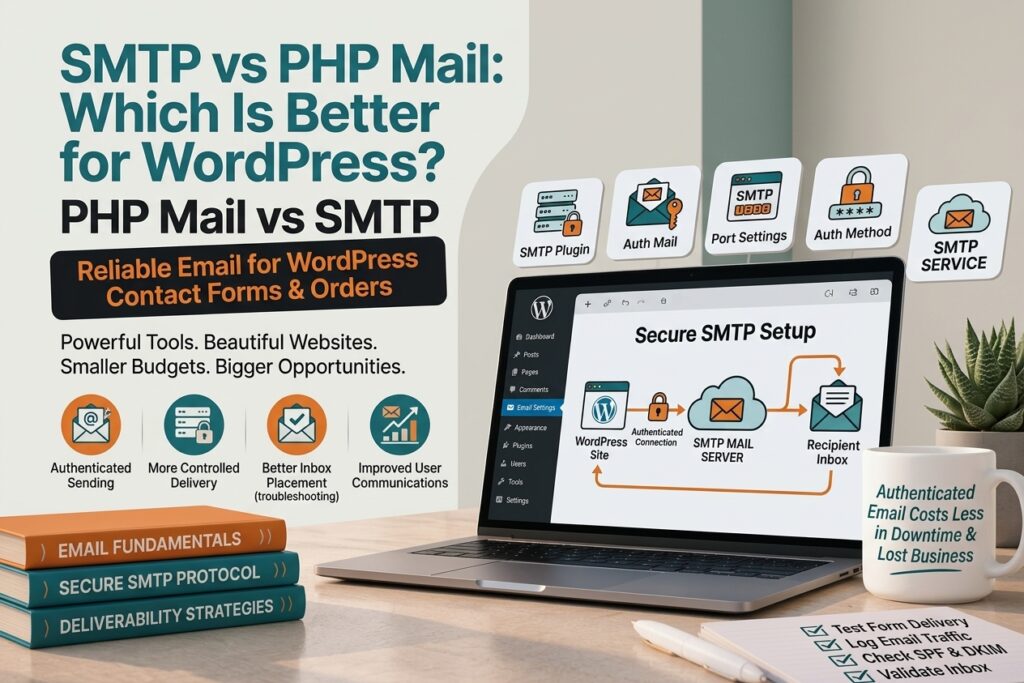
WordPress websites need reliable email delivery for contact forms, password resets, order notifications, and other important messages. However, emails don’t always reach the intended inbox. If you are trying to understand SMTP vs PHP mail, the main difference is how WordPress sends messages through the server or an email service.
PHP mail can be simple to use, but it may not provide the authentication and delivery reliability needed for some websites. SMTP uses an authenticated mail server to send messages and can provide more control over email delivery.
What Is PHP Mail?
PHP mail is a function that allows a website running PHP to send emails through the server. WordPress can use this method when sending emails from forms, notifications, and other features. You can learn more about PHP mail in the official PHP documentation.
The main advantage of PHP mail is its simplicity. In some hosting environments, it may work without requiring additional SMTP credentials or an external email service.
However, successful sending does not always mean the message will reach the recipient’s inbox. Server configuration, sender reputation, authentication, and hosting restrictions can all affect delivery.
For a small website with basic email requirements, PHP mail may appear convenient. But problems can occur when the hosting environment doesn’t properly handle outgoing email.
What Is SMTP?
SMTP stands for Simple Mail Transfer Protocol. It is the standard protocol used to send email between mail servers and email clients.
Instead of relying only on the website’s PHP mail function, SMTP allows WordPress to connect to an authenticated mail server or email delivery service.
An SMTP connection normally requires information such as a mail server, port, username, password or authentication method, and encryption settings.
Once configured correctly, WordPress can send emails through the selected SMTP server rather than relying on the hosting server’s basic mail function.
SMTP vs PHP Mail: What Is the Difference?
The main difference is how the email is handed off for delivery.
PHP mail relies on the server’s PHP mail configuration and available mail-sending system. SMTP connects WordPress to a mail server that handles the outgoing message.
PHP mail can be easier to set up, but the available configuration and delivery controls depend heavily on the hosting environment.
SMTP requires more configuration, but it can provide authenticated sending and clearer control over which mail server is responsible for delivering your messages.
For WordPress websites that depend on contact forms, customer notifications, or other important emails, understanding this difference can help when troubleshooting delivery problems.
Why Are WordPress Emails Not Sending?
A WordPress email problem doesn’t necessarily mean that PHP mail is the only cause. Several issues can prevent an email from reaching its destination.
Common causes include:
Incorrect recipient address. A simple typo in the recipient email address can prevent delivery.
Hosting restrictions. Some hosting providers limit or restrict outgoing mail from websites.
Incorrect SMTP settings. A wrong server name, port, username, password, or encryption setting can prevent SMTP authentication.
Spam filtering. An email may be successfully sent but filtered into the recipient’s spam or junk folder.
Missing email authentication. Poorly configured SPF, DKIM, or DMARC records can affect how receiving mail servers evaluate messages.
Plugin conflicts. WordPress plugins can sometimes interfere with email generation or delivery.
Incorrect From address. Using a sender address that doesn’t match the configured email service can contribute to delivery or authentication problems.
Does SMTP Prevent Emails From Going to Spam?
SMTP can help provide a more controlled and authenticated way to send WordPress emails, but SMTP alone does not guarantee inbox placement.
Email providers consider several factors when deciding whether a message should reach the inbox, spam folder, or be rejected.
SPF, DKIM, and DMARC are important parts of modern email authentication. Your domain reputation, sending behavior, email content, and the recipient’s email provider can also affect delivery.
Therefore, switching from PHP mail to SMTP may solve some sending problems, but it should not be presented as a guaranteed solution for every spam issue.
How to Set Up SMTP in WordPress
The exact setup depends on the SMTP provider you choose, but the general process is straightforward.
First, choose an email account or email delivery service that supports SMTP. You will normally need the SMTP server address, port, authentication details, and encryption requirements.
Next, install a reputable WordPress SMTP plugin or configure your site’s email system using the method recommended by your provider.
Enter the required SMTP information and configure the sender email address. Make sure the sender address is authorized by your email service.
After saving the settings, send a test email.
If the test fails, check the SMTP server, port, authentication method, username, password, and encryption settings. You should also check your domain’s email authentication records if delivery or spam problems continue.
Should You Use SMTP or PHP Mail for WordPress?
The right choice depends on the website and its email requirements.
PHP mail can be sufficient for some basic websites when the hosting environment is correctly configured and email delivery is reliable.
SMTP can be useful when you need authenticated email sending, more control over the sending server, or a more dependable setup for important WordPress emails.
If your website relies heavily on contact forms, customer notifications, password resets, or transactional messages, it’s worth testing your current email delivery rather than assuming that messages are reaching recipients successfully.
How to Test WordPress Email Delivery
After configuring your email system, don’t simply assume that everything is working.
Send test messages to different email accounts and check whether they arrive in the inbox, spam folder, or fail completely.
You can also check your SMTP plugin’s email logs if the plugin provides that feature. These logs can help identify whether WordPress generated the message and whether the SMTP server accepted it.
For more serious delivery problems, check your domain’s SPF, DKIM, and DMARC configuration and review any error messages returned by your email provider.
Testing is particularly important after changing hosting, domain settings, SMTP credentials, or WordPress email plugins.
Frequently Asked Questions
Is SMTP better than PHP mail for WordPress?
SMTP provides authenticated email delivery through a mail server, while PHP mail relies on the server’s mail configuration. The appropriate option depends on your website, hosting environment, and email requirements.
Does WordPress use SMTP by default?
WordPress can use the server’s available mail-sending configuration rather than requiring an SMTP service by default. SMTP can be configured separately when needed.
Why are my WordPress emails going to spam?
Spam placement can be caused by several factors, including missing or incorrect SPF, DKIM, or DMARC authentication, sender reputation, email content, and recipient-provider filtering.
Can SMTP fix WordPress contact form email problems?
SMTP can resolve some email delivery problems, particularly when the hosting server’s mail configuration is unreliable or restricted. However, it cannot fix every possible contact-form or email-delivery issue.
Do I need SPF, DKIM, and DMARC if I use SMTP?
SMTP and domain authentication serve different purposes. Using SMTP does not eliminate the need to properly configure the authentication requirements recommended by your email provider.
Is PHP mail bad for WordPress websites?
Not necessarily. PHP mail can work in some hosting environments, but its reliability depends on server configuration and other email-delivery factors. For important website emails, testing actual delivery is more useful than assuming one method will work for every website.