

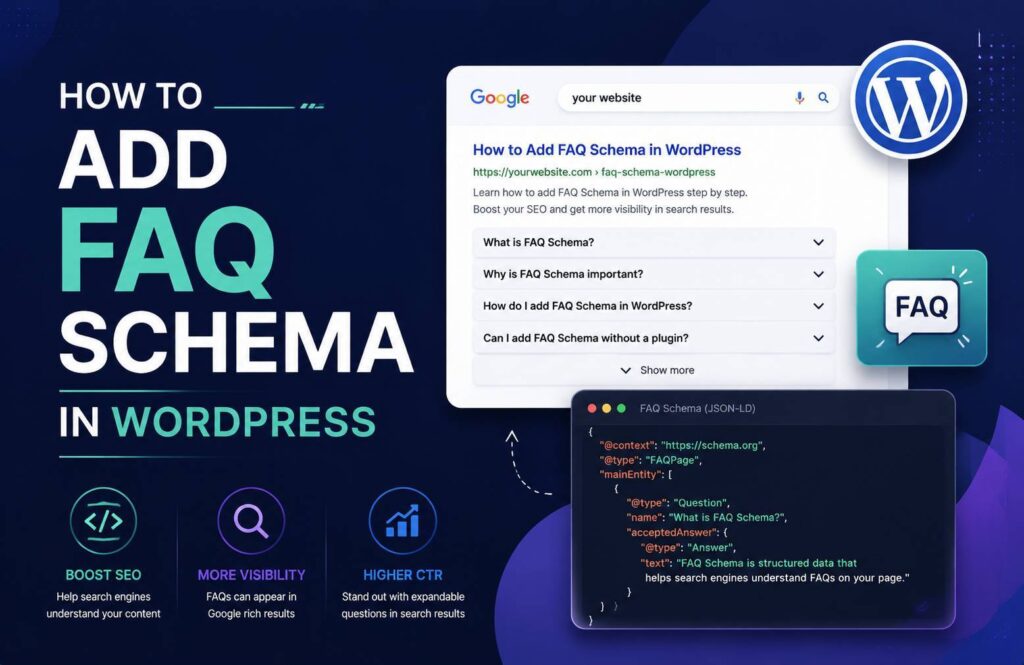
How to add FAQ schema in WordPress? Let’s see!! FAQ schema is structured data that helps search engines understand the questions and answers published on a webpage. Adding FAQ schema to a WordPress website can make your content easier for search engines to interpret and may improve how your page is represented in search results.
The good news is that you do not necessarily need coding skills to add FAQ schema. WordPress SEO plugins such as Rank Math and Yoast SEO can make the process relatively simple.
What Is FAQ Schema?
FAQ schema is a type of structured data that identifies frequently asked questions and their corresponding answers on a webpage. It uses a standardized format that search engines can read and understand.
For example, if your page contains questions such as:
- What is WordPress?
- How do I install a WordPress plugin?
- Is WordPress free?
FAQ schema can help search engines understand that these are questions followed by their answers.
However, How to Add FAQ Schema in WordPress does not guarantee that Google will display FAQ rich results. Google decides when and how structured data appears in search results.
Why Add FAQ Schema to WordPress?
Adding FAQ schema can provide several benefits:
- Helps search engines understand your FAQ content
- Gives search engines additional context about your webpage
- Makes your structured data more organized
- Can support your overall SEO strategy
- Makes FAQs easier to manage when using an SEO plugin
It is important to remember that structured data is not a direct ranking guarantee. Your content should still be useful, accurate, relevant, and written primarily for visitors.
How to Add FAQ Schema in WordPress Using Rank Math
One of the easiest ways how to add FAQ schema in wordpress is with an SEO plugin such as Rank Math.
Step 1: Install Rank Math
Log in to your WordPress dashboard and install the Rank Math SEO plugin.
Go to:
Plugins → Add New Plugin
Search for Rank Math SEO, install it, and activate the plugin.
Complete the basic setup if Rank Math asks you to configure it.
Step 2: Open the Page or Post
Go to Posts → All Posts or Pages → All Pages.
Open the article where you want to add FAQs.
Before adding schema, make sure the questions and answers are actually visible on the page.
Step 3: Add Your FAQ Section
Create an FAQ section near the end of your article.
For example:
What is FAQ schema?
FAQ schema is structured data that helps search engines understand questions and answers on a webpage.
Is FAQ schema a ranking factor?
FAQ schema itself does not guarantee higher rankings. It mainly helps search engines understand your content.
Step 4: Add FAQ Schema
Open the Rank Math options in the WordPress editor.
Depending on your editor and Rank Math configuration, you can use the Schema settings to add or configure structured data.
Select the FAQ-related schema option and enter the questions and answers that appear on the page.
Make sure the schema information accurately matches the visible FAQ content.
Step 5: Update the Page
After checking the questions and answers, click Update or Publish.
Your FAQ schema is now included in the page’s structured data.
How to Add FAQ Schema Using Yoast SEO
Yoast SEO can also help WordPress users create FAQ sections with structured data.
If you are using the WordPress block editor, open your post or page and add the Yoast FAQ block if it is available in your setup.
Add your questions and answers to the block.
The FAQ block is designed to connect the visible FAQ content with the appropriate structured data.
After adding your FAQs, update the page.
This approach is useful because you do not have to manually write JSON-LD code.
How to Add FAQ Schema Manually
Advanced WordPress users can also add FAQ schema using JSON-LD.
A basic example looks like this:
<script type=”application/ld+json”>
{
“@context”: “https://schema.org”,
“@type”: “FAQPage”,
“mainEntity”: [
{
“@type”: “Question”,
“name”: “What is FAQ schema?”,
“acceptedAnswer”: {
“@type”: “Answer”,
“text”: “FAQ schema is structured data that helps search engines understand questions and answers on a webpage.”
}
},
{
“@type”: “Question”,
“name”: “Does FAQ schema improve rankings?”,
“acceptedAnswer”: {
“@type”: “Answer”,
“text”: “FAQ schema does not guarantee higher rankings, but it can help search engines better understand the FAQ content.”
}
}
]
}
</script>
If you use manual JSON-LD, make sure the structured data accurately represents content that visitors can see on the page.
Avoid adding questions and answers to the schema that are not actually available to users.
How to Check FAQ Schema
After adding FAQ schema, you should validate the structured data.
Google provides the Rich Results Test, which can help you test whether Google can read eligible structured data on your page.
You can also use Schema.org’s validator to check the structured data markup.
Testing is particularly important when adding schema manually because a small formatting error can prevent search engines from correctly interpreting the markup.
Common FAQ Schema Mistakes
Adding Invisible FAQs
Do not add FAQ information to structured data that visitors cannot find on the webpage.
The schema should represent the actual content of the page.
Using Duplicate Questions
Avoid repeating the same FAQ across multiple sections unnecessarily. Keep your questions useful and relevant to the topic.
Adding Irrelevant Questions
Your FAQ section should answer genuine questions related to the page. Do not add unrelated questions simply to increase the amount of structured data.
Forgetting to Update Schema
If you change an FAQ on your webpage, make sure the corresponding structured data is updated too.
Expecting Guaranteed Rich Results
FAQ schema does not guarantee that Google will show FAQ rich results. Search engines determine whether enhanced search features are displayed.
FAQ Schema Best Practices
For better implementation, follow these guidelines:
- Use questions that are genuinely relevant to the page.
- Make answers clear and useful.
- Ensure FAQ content is visible to users.
- Keep schema and visible content consistent.
- Avoid unnecessary or deceptive markup.
- Validate your structured data after implementation.
- Update schema when your FAQ content changes.
Conclusion
Adding FAQ schema in WordPress is relatively straightforward when you use an SEO plugin such as Rank Math or Yoast SEO. You can also implement JSON-LD manually if you are comfortable working with structured data and learn how to add FAQ schema in wordpress.
The most important thing is to make sure your schema accurately represents the FAQ content that visitors can see on the page. Schema should support high-quality content rather than replace it.
Once your FAQ section is published, test the structured data and monitor your page in Google Search Console to identify potential issues.