

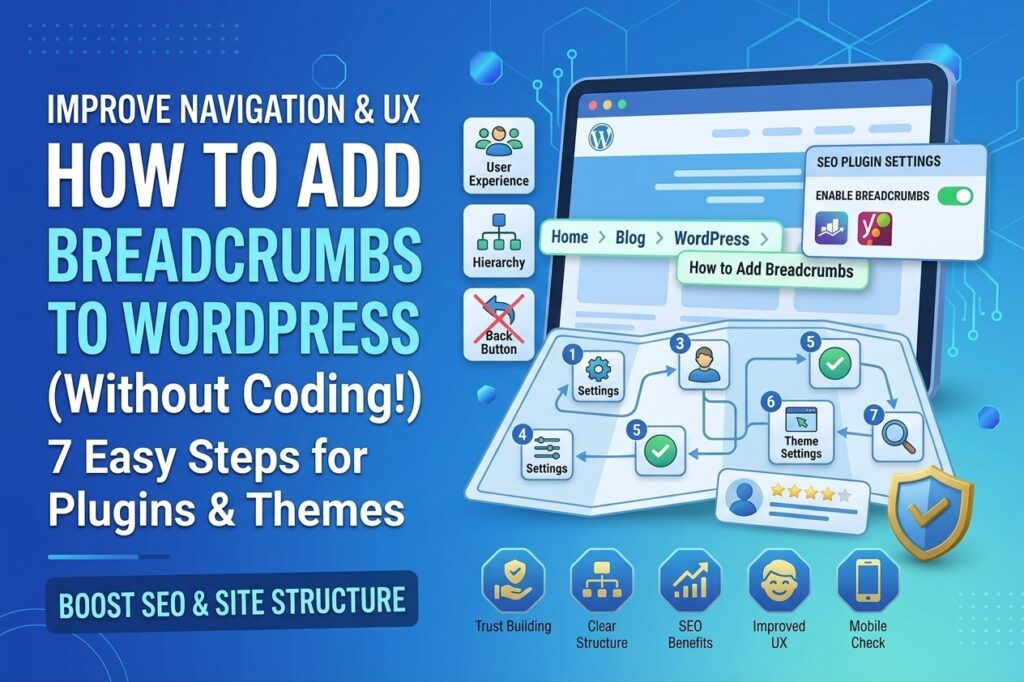
How to Add Breadcrumbs to WordPress Without Coding
Breadcrumbs are a simple navigation feature that helps visitors understand where they are on a website. They usually appear near the top of a page and show a path such as Home → Blog → WordPress → SEO.
If you want to improve website navigation and make your WordPress site easier to understand, you can add breadcrumbs to WordPress without writing any code. SEO plugins such as Rank Math and Yoast SEO provide built-in breadcrumb functionality that can be enabled with a few settings.
In this guide, you’ll learn what breadcrumbs are, why they matter, and how to add them to WordPress without coding.
What Are Breadcrumbs in WordPress?
Breadcrumbs are secondary navigation links that display the location of the current page within your website structure.
For example, a blog post about WordPress SEO might display:
Home → Blog → WordPress → How to Add Breadcrumbs to WordPress
Each part of the breadcrumb can help visitors move back to a broader section of the website.
Breadcrumbs are especially useful for websites with many blog posts, categories, products, or service pages because they make the site hierarchy easier to understand.
Why Should You Add Breadcrumbs to WordPress?
Adding breadcrumbs can provide several benefits for both users and search engines.
1. Improve Website Navigation
Breadcrumbs give visitors another way to move around your website. Instead of repeatedly using the browser’s back button, they can click a category or parent page directly.
2. Make Your Site Structure Clearer
A well-organized breadcrumb trail shows how individual pages relate to broader sections of your website.
For example:
Home → SEO → Local SEO → Google Business Profile
This makes the relationship between your content easier to understand.
3. Improve User Experience
Visitors can quickly identify their current location on your website. This is particularly helpful when they arrive directly on a blog post from Google or another external source.
4. Help Search Engines Understand Page Relationships
Breadcrumbs can provide additional information about your site’s hierarchy. When properly implemented with structured data, they can also help search engines understand the relationship between different pages.
However, breadcrumbs alone do not guarantee higher rankings. They are primarily a navigation and site-structure improvement.
How to Add Breadcrumbs to WordPress Without Coding
The easiest method is to use an SEO plugin that supports breadcrumbs. Two popular options are Rank Math SEO and Yoast SEO.
The exact settings may vary depending on your plugin version and WordPress theme.
Method 1: Add Breadcrumbs Using Rank Math
If you’re already using Rank Math SEO, you can enable breadcrumbs from its settings.
Step 1: Open Rank Math Settings
From your WordPress dashboard, go to:
Rank Math → General Settings → Breadcrumbs
If the Breadcrumbs option isn’t available, make sure the relevant Rank Math modules are enabled.
Step 2: Enable Breadcrumbs
Look for the option to enable breadcrumbs and turn it on.
Rank Math provides several breadcrumb settings that allow you to control how your navigation trail appears.
Depending on your website, you may be able to configure options such as:
- Home label
- Homepage link
- Separator character
- Blog page label
- Category display
- Taxonomy display
- Current item display
Choose settings that match your website structure.
Step 3: Save Your Settings
After configuring the breadcrumb options, save the changes.
Rank Math can generate the breadcrumb structure, but your theme still needs to display the breadcrumbs in the desired location.
Some themes and page builders may provide their own breadcrumb integration. If your theme doesn’t automatically display them, you may need to use a supported widget, block, or template option.
Method 2: Add Breadcrumbs Using Yoast SEO
Yoast SEO also includes breadcrumb functionality.
Step 1: Open Yoast Settings
Log in to your WordPress dashboard and look for the Yoast SEO settings.
Depending on your Yoast version, breadcrumb settings may be located under the site’s advanced or search appearance settings.
Step 2: Enable Breadcrumbs
Find the breadcrumbs option and enable it if your installation and theme support the feature.
You can then configure elements such as the separator and homepage text.
Step 3: Display the Breadcrumbs
Yoast can provide the breadcrumb functionality, but displaying it visually depends on your theme and site setup.
Many modern WordPress themes provide a dedicated breadcrumb setting or block. If yours does, use that option instead of editing theme files.
Use Your Theme’s Built-In Breadcrumb Option
Before installing another plugin, check whether your WordPress theme already supports breadcrumbs.
Go to your theme’s customization or site editor settings and search for terms such as:
- Breadcrumbs
- Breadcrumb navigation
- Page title
- Single post settings
- Blog settings
If your theme includes a breadcrumb feature, you may be able to activate it without adding another plugin.
This can be a good option because it avoids unnecessary plugins and keeps your website setup simpler.
How Should Your Breadcrumb Structure Look?
Your breadcrumb structure should reflect the logical hierarchy of your website.
For a service website:
Home → Services → Local SEO
For a blog:
Home → Blog → WordPress → WordPress SEO
For an online store:
Home → Shop → Men’s Shoes → Running Shoes
Avoid creating unnecessarily long breadcrumb trails. Visitors should be able to understand the page hierarchy at a glance.
Best Practices for WordPress Breadcrumbs
If you decide to add breadcrumbs to WordPress, follow these best practices.
Keep the Hierarchy Logical
Your breadcrumbs should accurately represent the relationship between pages, categories, and content.
Make Breadcrumbs Clickable
Parent-level breadcrumb items should normally link to their corresponding pages or categories.
Keep the Design Simple
Breadcrumbs should support your main navigation rather than compete with it. Use a small, readable design that fits naturally into your page layout.
Use Consistent Labels
Avoid changing category names or breadcrumb labels unnecessarily. Consistent naming makes navigation easier for visitors.
Check Mobile Display
Always test breadcrumbs on smartphones and tablets. Long category names can create awkward wrapping or horizontal scrolling.
Don’t Stuff Keywords
Breadcrumbs should describe your site’s structure naturally. Don’t add keywords simply for SEO purposes.
For example, use:
Home → Blog → Local SEO
rather than creating an unnatural trail such as:
Home → Best Local SEO Services → Cheap Local SEO Services → Local SEO Expert
Do Breadcrumbs Improve SEO?
Breadcrumbs can support SEO indirectly by improving navigation, site structure, and internal linking.
They can also provide structured information about your site’s hierarchy when appropriate breadcrumb structured data is implemented.
However, breadcrumbs are not a standalone ranking technique. Your website still needs useful content, strong internal linking, good technical SEO, relevant search intent, and a clear site structure.
Think of breadcrumbs as one part of a larger SEO strategy.
Common Breadcrumb Mistakes to Avoid
When adding breadcrumbs, avoid these common problems:
Displaying duplicate breadcrumbs: Some themes and SEO plugins may both generate breadcrumbs, resulting in two breadcrumb trails.
Using confusing labels: Breadcrumb text should be clear and consistent with your website’s navigation.
Ignoring mobile users: Make sure breadcrumbs remain readable on small screens.
Installing unnecessary plugins: If your existing SEO plugin or theme already supports breadcrumbs, another plugin may not be necessary.
Changing URLs just for breadcrumbs: Your URL structure and breadcrumb hierarchy should work together, but you shouldn’t change established URLs without a good reason.
How to Check Whether Your Breadcrumbs Work
After enabling breadcrumbs, open several pages on your website and check whether the navigation trail appears correctly.
Test:
- Homepage
- Blog posts
- Category pages
- Service pages
- Product pages
- Mobile pages
Click each breadcrumb link to make sure it goes to the correct destination.
You should also check your website’s structured data using Google’s available structured-data testing resources or other reputable SEO tools.
Conclusion
You don’t need coding knowledge to add breadcrumbs to WordPress. An SEO plugin such as Rank Math or Yoast SEO, or a WordPress theme with built-in breadcrumb support, can make the process much easier.
The most important thing is to create a logical breadcrumb hierarchy that matches your website structure. Keep the design simple, make parent pages useful, test the navigation on mobile devices, and avoid keyword stuffing.
When combined with good internal linking and a well-organized website structure, breadcrumbs can make your WordPress website easier for visitors and search engines to understand.