

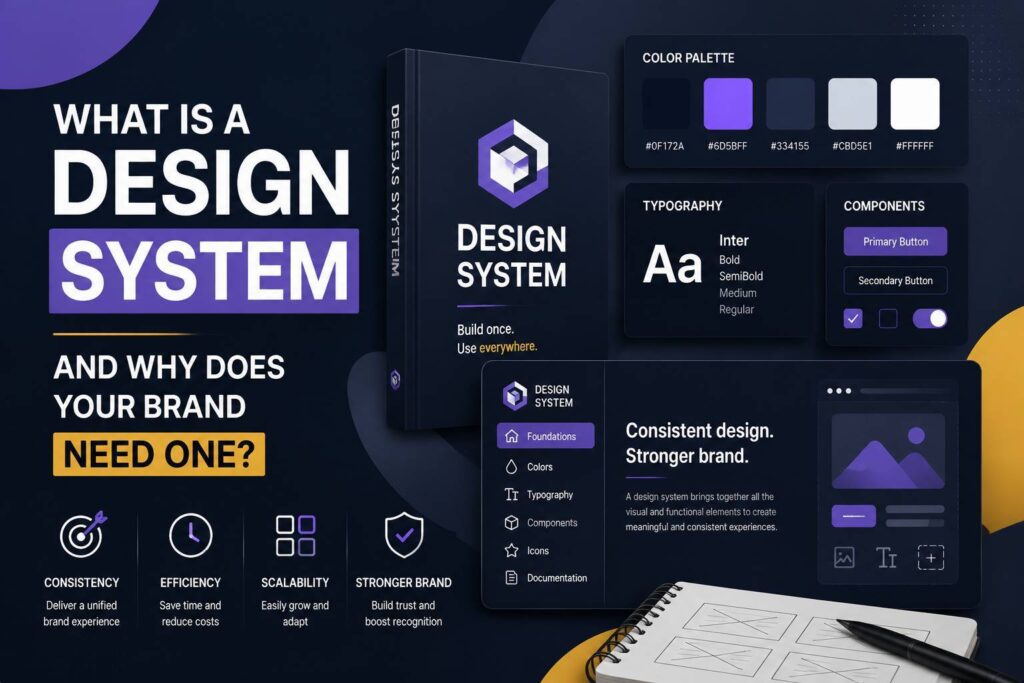
A design system is a collection of reusable design elements, guidelines, and standards that helps a brand maintain a consistent visual and user experience across different platforms. It can include colors, typography, logos, buttons, icons, spacing rules, components, and other visual elements used in websites, apps, social media, and marketing materials.
As a business grows, maintaining the same visual identity everywhere can become difficult. Different designers may use different colors, fonts, layouts, or components. A well-structured design system solves this problem by creating a shared framework that designers and developers can follow.
What Is a Design System?
A design system is more than a collection of brand colors and fonts. It is a centralized set of design standards and reusable components that helps teams create consistent digital and marketing experiences.
For example, a company’s design system might define:
- Primary and secondary brand colors
- Typography and font sizes
- Logo usage guidelines
- Buttons and form fields
- Icons and illustrations
- Grid and spacing systems
- Website components
- Image styles
- Accessibility standards
- UI patterns
Instead of designing every page or marketing asset from scratch, designers can use approved components from the system.
This makes the design process more organized, efficient, and consistent.
Why Does Your Brand Need a Design System?
A growing business may have its website, social media profiles, advertisements, presentations, emails, and printed marketing materials designed by different people. Without clear standards, these materials can gradually start looking different.
A design system creates a common visual language for the entire brand.
1. It Creates Brand Consistency
Consistency is one of the biggest benefits of a design system.
When customers see the same colors, typography, imagery, icons, and visual style across your website and marketing channels, they can more easily recognize your brand.
For example, your website might use a specific blue, a particular heading font, and a consistent button style. Those same elements can be applied to landing pages, social media graphics, advertisements, and other digital assets.
This creates a more professional and recognizable brand identity.
2. It Saves Design Time
Designing every component from scratch can take considerable time.
With a design system, designers can reuse approved components instead of recreating common elements for every project. A designer creating a new landing page, for example, may already have buttons, cards, forms, headings, and navigation components available.
This allows the team to spend more time solving design problems and less time repeating routine tasks.
3. It Makes Collaboration Easier
Design projects often involve multiple people, including graphic designers, UI/UX designers, developers, marketers, and content teams.
Without shared guidelines, everyone may interpret the brand differently.
A design system gives everyone a common reference point. Designers know which components to use, while developers can understand how those components should behave.
This can reduce unnecessary revisions and improve communication between teams.
4. It Improves the User Experience
A consistent interface can make websites and applications easier to understand.
When buttons, navigation elements, forms, colors, and interactions behave consistently, users don’t have to learn a new interface on every page.
For example, if every primary call-to-action button follows the same visual pattern, visitors can quickly recognize which actions are important.
A design system therefore supports both visual consistency and usability.
5. It Makes Scaling Easier
Businesses often add new pages, products, services, campaigns, and digital platforms as they grow.
Without a design system, maintaining consistency becomes increasingly difficult.
With reusable components and documented guidelines, new designs can be created using existing standards. This makes it easier to scale a website or digital product without completely redesigning every element.
What Should a Design System Include?
The exact contents depend on the business, but a comprehensive design system may include several important categories.
Brand Guidelines
Brand guidelines define how the company’s visual identity should be used. They can include logo variations, colors, typography, imagery, tone, and rules for using brand assets.
Color System
A color system defines the approved colors used throughout the brand.
It may include:
- Primary colors
- Secondary colors
- Accent colors
- Background colors
- Text colors
- Error and success colors
For digital products, color choices should also consider accessibility and sufficient contrast.
Typography
Typography guidelines define which fonts should be used and how they should appear.
A system can specify:
- Heading styles
- Body text
- Font sizes
- Font weights
- Line heights
- Letter spacing
Consistent typography helps create a recognizable visual hierarchy.
UI Components
UI components are reusable interface elements such as:
- Buttons
- Navigation bars
- Cards
- Forms
- Modals
- Dropdowns
- Tabs
- Alerts
Creating standardized components can make website and application development significantly more efficient.
Spacing and Layout
A design system can establish rules for margins, padding, grids, containers, and spacing.
Instead of choosing random spacing values for every design, designers can work with a predefined spacing scale.
This creates cleaner and more consistent layouts.
Design System vs Brand Guidelines
Design systems and brand guidelines are related, but they are not exactly the same.
Brand guidelines primarily explain how a brand’s identity should be represented. They commonly cover logos, colors, typography, imagery, and brand usage.
A design system is broader for digital products and interfaces. It can include brand guidelines as well as reusable UI components, interaction patterns, accessibility standards, and development specifications.
In simple terms, brand guidelines help answer “How should our brand look?”, while a design system also addresses “How should our digital experiences be designed and built?”
How to Create a Design System
Creating a design system doesn’t have to happen all at once. Businesses can build one gradually.
Step 1: Audit Existing Designs
Start by reviewing your current website, social media graphics, advertisements, presentations, and other marketing materials.
Identify repeated colors, fonts, components, and visual patterns.
Step 2: Define the Brand Foundations
Establish your core colors, typography, imagery, logo rules, spacing, and other foundational elements.
Step 3: Create Reusable Components
Identify common elements and turn them into reusable components.
For a website, this could include buttons, cards, forms, navigation elements, and content sections.
Step 4: Document the Rules
A design system is much more useful when its rules are clearly documented.
Explain when and how each component should be used, including variations and restrictions.
Step 5: Keep It Updated
A design system should evolve with your brand and digital products.
When a component changes, update the system so designers and developers are working from the same standards.
Does Every Business Need a Design System?
Not every small business needs a complex enterprise-level design system.
If you operate a simple website with very few pages, basic brand guidelines may be enough. However, a design system becomes increasingly valuable when a business has multiple designers, developers, websites, digital products, marketing channels, or frequently updated content.
The goal isn’t to create unnecessary documentation. The goal is to create a practical system that makes your design process more consistent and efficient.
Conclusion
A design system provides a structured foundation for creating consistent, scalable, and user-friendly brand experiences. By combining brand guidelines, reusable components, typography, colors, spacing, and UI patterns, businesses can reduce repetitive design work while maintaining a professional visual identity.
For growing brands, investing in a design system can make collaboration easier, improve user experience, and provide a reliable foundation for future website and digital product development.